
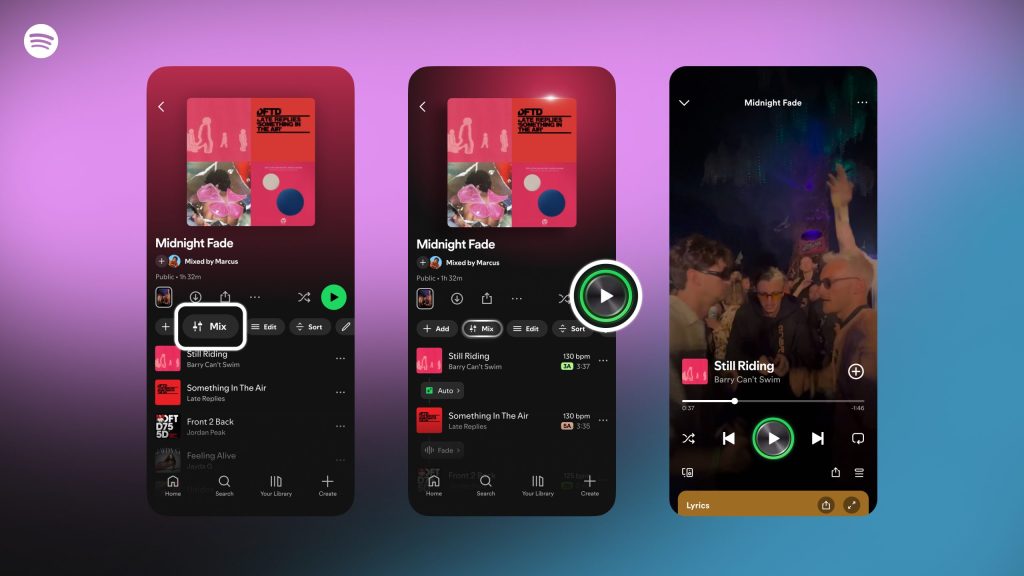
Spotify just turned up the volume on its innovation game with a brand-new tool: the Spotify Mix feature. Officially rolled out globally to all Premium users on Thursday, this feature lets you blend tracks together with smooth transitions instead of those awkward silences when one song ends and another begins. Whether you’re chilling solo or hyping up a house party, this addition puts DJ-style mixing directly into your playlists—without needing advanced software like Logic Pro, Audacity, or Reaper.
What Is the Spotify Mix Feature?
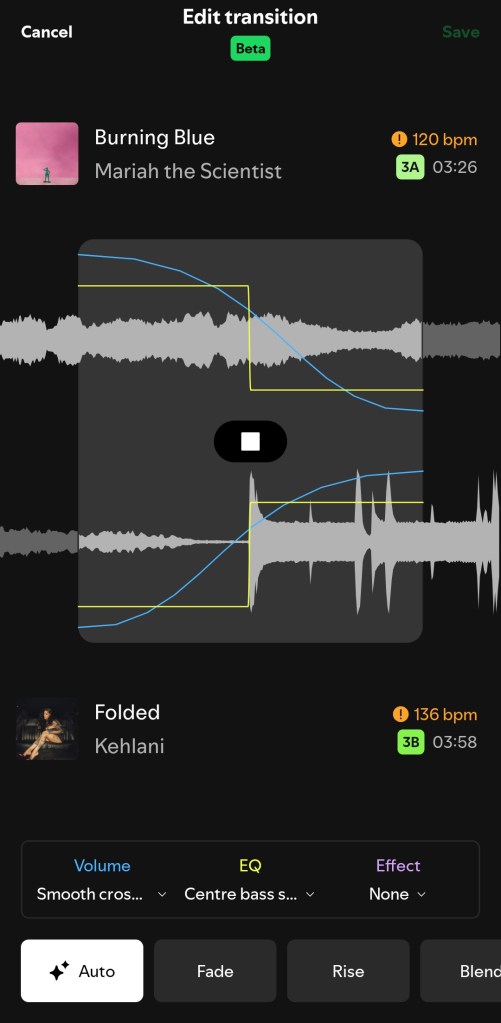
The Mix feature on Spotify is designed to help Premium users automatically or manually create seamless transitions between tracks. Instead of songs stopping abruptly, you can choose to fade, rise, or even customize transitions with advanced controls like volume, EQ, and effect curves. Spotify leverages beat and waveform data so tracks flow smoothly, giving your playlists a professional edge.
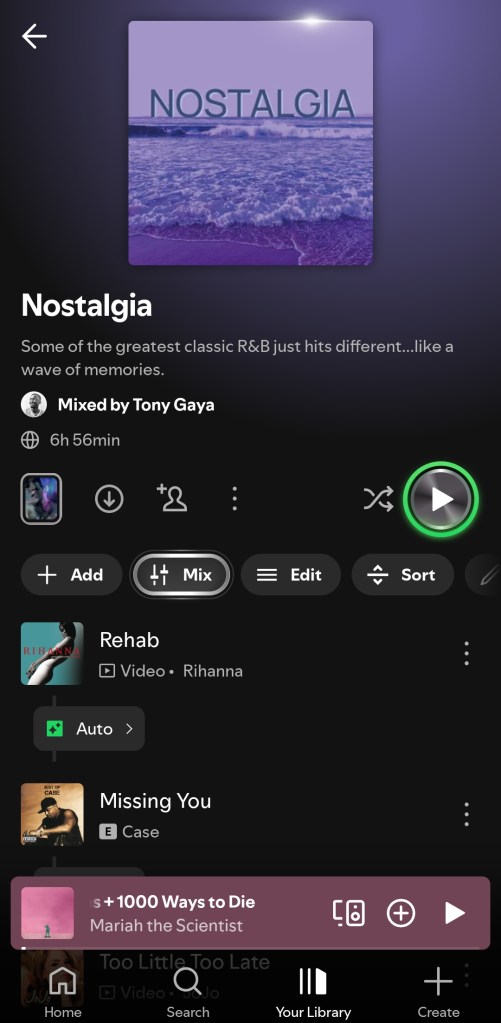
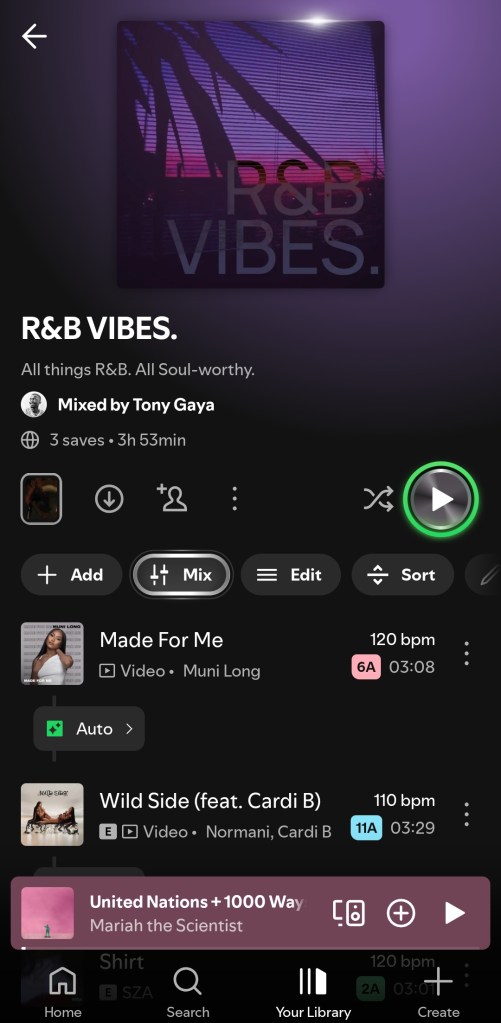
Key Highlights:
- Now available globally for all Premium users.
- Options for Auto Mix or manual customization.
- Presets like Fade or Rise for quick styles.
- Ability to toggle between mixed and unmixed versions of a playlist.
How to Use Spotify’s DJ-Style Mix Tool
With the global rollout, every Premium user can now try out Mix. The Mix button appears in the toolbar of playlists you’ve created. From there:
- Tap the Mix Button – You’ll see it near the playlist toolbar.
- Choose Auto or Manual – Auto applies quick transitions, while Manual lets you dive into EQ, volume, and waveform data.
- Pick a Preset – Options like Fade or Rise give instant vibes.
- Save Your Mix – Once satisfied, hit Save to lock in transitions.
- Toggle Anytime – Want the raw playlist? Just turn Mix off.
This makes the feature super versatile—perfect for casual listening or running the aux at social gatherings.
Collaboration With Mixed Playlists
Another standout aspect of the Spotify Mix feature is its collaborative mixing option. Premium users can team up to co-create mixed playlists, adding a social spin to the experience. Imagine building a party playlist with friends where every track flows like a pro DJ set—it’s collaborative curation leveled up.
Why the Spotify Mix Feature Matters
Spotify’s move here isn’t just about making playlists sound cooler. It reflects a growing trend where music streaming services double as creative tools. With TikTok, Instagram Reels, and DJ software shaping listening culture, Spotify is giving everyday listeners the ability to experiment with mixing, without needing expensive gear.
- For casual listeners: A smoother, more immersive experience.
- For aspiring DJs: A training ground before jumping into pro software.
- For social events: A quick way to deliver professional-sounding playlists.
No Longer in Beta: Global Rollout
The wait is over. As of Thursday, the Spotify Mix feature is officially available worldwide for all Premium subscribers. No more wondering if your account or region is eligible—if you’ve got Premium, you’ve got Mix. Just make sure your app is updated to access it.The Future of Playlists Just Got Smarter
The Spotify Mix feature is more than just a fun add-on—it’s a taste of how streaming platforms may blur the line between listening and creating. Whether you’re a casual user wanting smooth transitions or an aspiring DJ experimenting with beat-matching, Spotify’s new tool is a step toward more interactive, creative music experiences.
Open your app today, find the Mix button, and start DJing your playlists. Your next party (or even your solo listening session) just got a whole lot smoother.

 GizMunch
Leave a comment